On Data Privacy

In recent weeks we’ve received some email inquiries from users concerned about possible changes in laws (ie., Roe vs Wade) and what that might mean for their data privacy.

We want to assure our users that we are adamantly opposed to government overreach and we believe that a hypothetical situation where the government subpoenas private user data from health apps to convict people for having an abortion is a gross human rights violation. In such a scenario, we will do all we can to protect our users from such an act. We would rather close down the company than be accomplice to this type of government overreach and privacy violation.

Please see our Privacy Policy here, https://gpapps.com/support/privacy-policy/ .

Please note users can use Period Tracker without a Period Tracker online account and the data will be stored only locally on the user’s device.  If the user wants access to Period Tracker’s online backup feature then the user needs to sign up for an account for automatic regular backing up of data to a secure server.

On Data Privacy Read More »

Period Tracker Premium

We’re excited to launch the Period Tracker Premium Program inside Period Tracker on iOS and Android. We’ve added some special features to help our Premium users see more of their health at a glance to help them make informed choices on their health. And we’re currently hard at work adding more features that we think you’ll love.

To help clear up any confusion on what’s offered to our Premium users vs users of Period Tracker Deluxe, we’ve made this simple table below.

Premium subscription will only be available to Period Tracker users, not Deluxe users. If you are currently a Deluxe user and would like to become a part of the Premium program, please download Period Tracker by GP Apps in the App Store and Google Play and transfer your data to it and then subscribe.

Thank you in advance for your support of our mission to empower women to improve their health and lives.

Period Tracker Premium Deluxe
Period Tracking x x x
Health Tracking x x x
Lifestyle Tracking x x x
Basic Calendar x x x
Symptom icons in Calendar x x
Moods icons in Calendar x x
Pills icons in Calendar x x
Temperature in Calendar x x
View Weights in Calendar x x
View Steps in Calendar x x
Water icons in Calendar x x
View Calories in Calendar x x
View Moon phases in Calendar coming soon
Basic Charts x x x
Symptoms Charts x x
Moods Charts x x
Calories Charts x
Water Chart x
Exclusive eBook Library x
Advanced TTC x

Period Tracker Premium Read More »

TTC Chart

Our TTC charts (in Period Tracker for iOS and Android) provide helpful features to help you manage your journey to conceive.

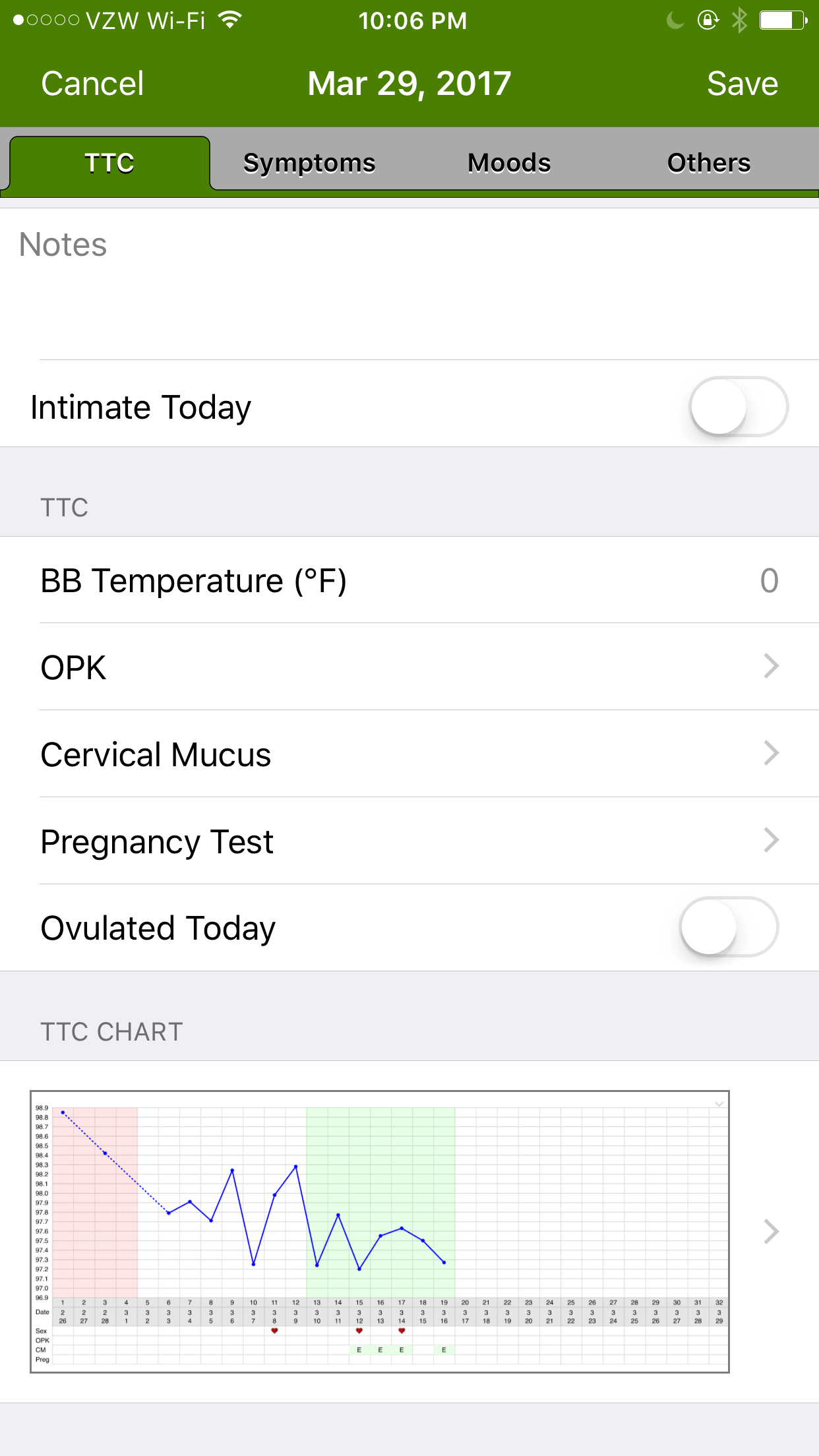
The TTC chart features an easy way to view your temps at glance.  Our app, through advanced algorithms, analyzes each inputted temperature and automatically calculates your probably ovulation date and marks it with a coverline.

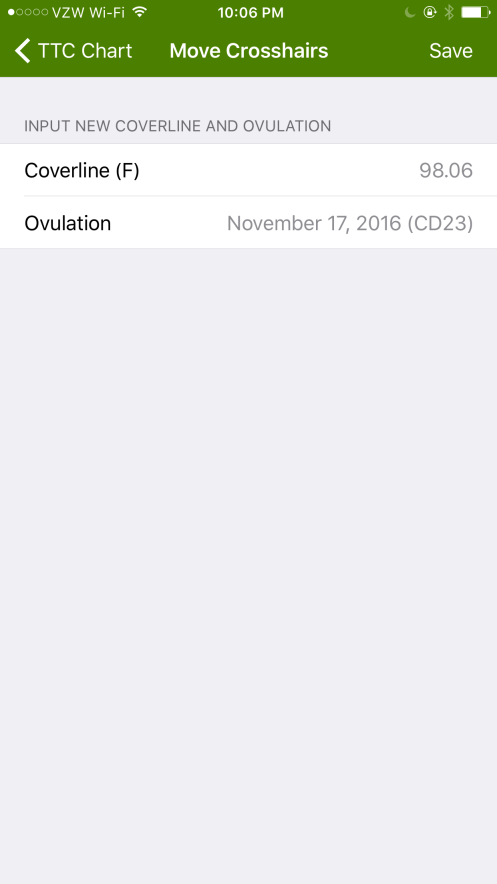
Users can change the coverline and input their own ovulation date as well.  Users can also choose which TTC method they are tracking and prefer to use in the app’s settings.

TTC Chart Read More »

TTC Mode

Period Tracker (iOS and Android versions) now feature an TTC Mode.

To activate TTC mode, go to the app’s settings and turn on TTC mode.  Advanced TTC mode will activate several features within the app to help you track your journey to conceive.

The Add Note page will contain further features, including BBT, OPK, Pregnancy Test and other options for you to track.  Also there’s a quick link to a BBT chart to view your temps and ovulation.


TTC Mode Read More »

Pregnancy Mode with Articles

Our Pregnancy mode in both our Period Tracker iOS and Android apps has been updated to feature week-by-week articles.

Each week, users can view a illustrated overview of their baby’s development as well as a detailed account of what’s changing in their bodies.

To activate Pregnancy mode, go to the app’s settings and turn on Pregnancy mode.

Pregnancy Mode with Articles Read More »

Apple Health Integration

Our iOS apps (for both Period Tracker Lite and Deluxe) now feature integration with Apple Health.

Just got to the App’s settings and click on the Apple Health option.  You’ll be then shown a screen to ask your permission to access Apple Health and you will be able to choose which data to access and share.


Apple Health Integration Read More »

A New Look for Our Log and Charts

We’ve made several changes to our Log and Charts tab in both our iOS and Android apps.  First, we’ve simplified the tab to include Period Log as one of the top tabs on the screen.  The charts also have been redesigned to be viewed in portrait mode (previously they were landscape only).  This allows our users to view charts quicker and easier.  We’ve also have some neat features like viewing just your moods for the past week, past 2 weeks or past month.

A New Look for Our Log and Charts Read More »

Sleeker Calendar Design

Our calendar in both our Period Tracker iOS and Android apps now feature a more sleek, modern and cleaner look.

We’ve changed out the triangles in the right corner of period days and replaced them with different color bars, depending on the user’s flow.  We’ve also updated various icons on the calendar page to help users find more info at a glance.


Sleeker Calendar Design Read More »

Transferring Your Period Tracker Data to your new iPhone

As some of you get your new iPhone 6/6+, you might be wondering how to transfer your Period Tracker data from your old phone to your new one. It’s really easy to do!

Since your Period Tracker data is kept on your phone’s memory, you’ll have to do a backup of your Period Tracker data from your old phone to restore it onto your new one. Here’s how:

1. On your old phone, open Period Tracker and go to settings/data/backup (make sure your phone has an Internet connection).

2. If you do not already have a PTracker backup account, go ahead and create one. We’ll email you an activation link which you’ll have to click on to activate your new account.

3. Click on the “Backup Now” button. This will create a backup of your data.

4. From your new phone, re-download Period Tracker. Then go to Period Tracker app settings/data/restore page. Log in to your PTracker backup account. Then click on the backup that you just did and press “restore”. This will restore your data to your new phone.

*These steps will work whether you’re moving to/from an iPhone, Android phone or Windows 7 phone. We hope you enjoy your new phone!

Ps. If you no longer have your old phone with all of your data in it, go to this link http://gpapps.com/support/period-tracker-faq/how-do-i-transfer-my-data-from-my-old-phone-to-my-new-one/ for information on how to look for a backup file from your old phone.

Transferring Your Period Tracker Data to your new iPhone Read More »

Windows App New Year’s Bug

Update: We’ve uploaded a new build on Jan 1 8:00pm PST that fixes the calendar bug.  Windows Phone store will release the update after they’ve reviewed it (hopefully within a week).  We’ve requested an expedited review.
Period Tracker on Windows phone has a bug that occurred with the start of the new year. With this issue, all user data is safe in the app. However, the period log page and the calendar page appear to be blank. Also, some users are experiencing a frozen home page and issues with saving a period start note.
We are currently investigating the bug with the highest priority and hope to upload an update tonight or tomorrow. Windows will take about a week to review the update and then it will be live in the Windows Store. In the meantime, please do not delete your app as this will cause you to lose your data.
We are very sorry for this inconvenience. Thank you for your patience.

Windows App New Year’s Bug Read More »